Can't see any YardsTech® devices in the app on my iPhone
Written by support ( Support) on
If you do not see any YardsTech® devices appear in the list on the main screen of the app, then check the following:
1. On your phone, open Settings.
2. Select Apps.
3. Find the YardsTech app and select it.
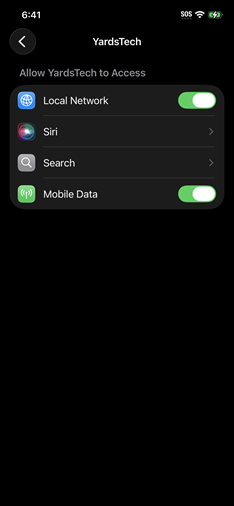
4. Ensure Local Network and Mobile Data are turned on.
The screen should look like this: